
By Matthew Piecora, AKA, EZBOT
I want a performance template that leaves room for the way you actually make music. Maybe you have a finished track that you want to take out of the computer. Maybe you have a table full of instruments. Or maybe the Octatrack is the whole setup, and you want to play samples, build patterns and get a little weird with the effects.
That is why I made the Hybrid Performance Template series. It brings the performance effects I have spent years developing into a project that still gives you room to use the Octatrack as a sampler and sequencer. The setup can change without making you start from scratch.
In the newer overview, I call it “the most flexible project that I’ve created.” That flexibility is the point. I want you to be able to take this in a direction I haven’t thought of.
One project, a lot of different setups
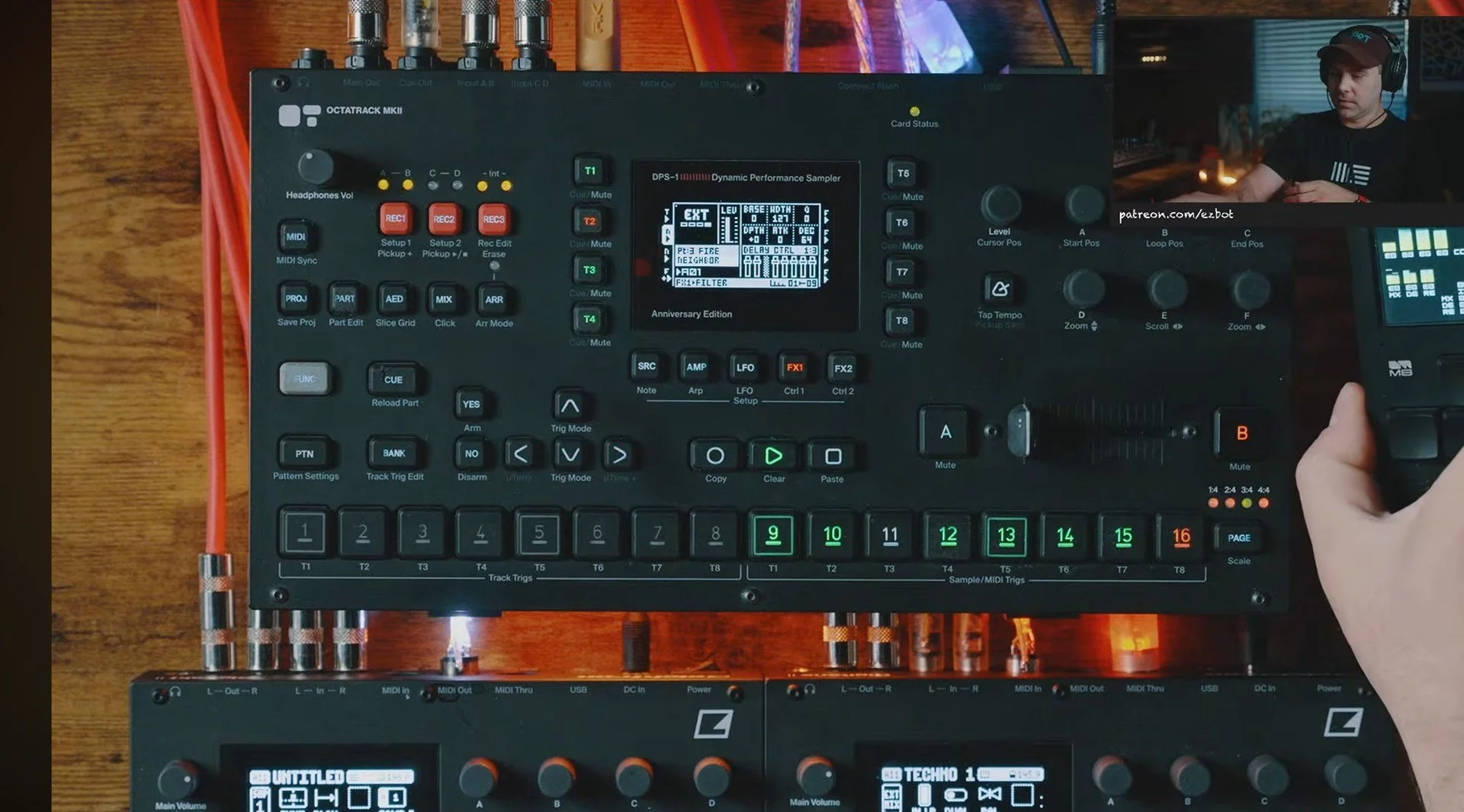
Hybrid 4X4 leaves four tracks for playing your own audio. You could split a song into drums, percussion and a couple of melodic parts, then use the Octatrack to rearrange it as you play. You could build patterns from individual samples instead. You can also process incoming instruments, or combine those instruments with sounds playing on the Octatrack.
There is one important piece of the routing: the sample tracks go to the cue outputs. A physical cable connection from cue back into an input pair brings them through the performance effects. That loop can also include another piece of gear. It is a simple connection, but it is what lets the same effects system become part of several different setups.
I like this because the music does not have to become a fixed backing track just because it started in a DAW. You can take sections apart, change which sounds are present and give the arrangement a different shape in the room. Or you can start with the Octatrack itself and sample something new into the set.
As I put it in the original session, “This template is made to be used.” I am not precious about you changing it.
The effects are part of how you play
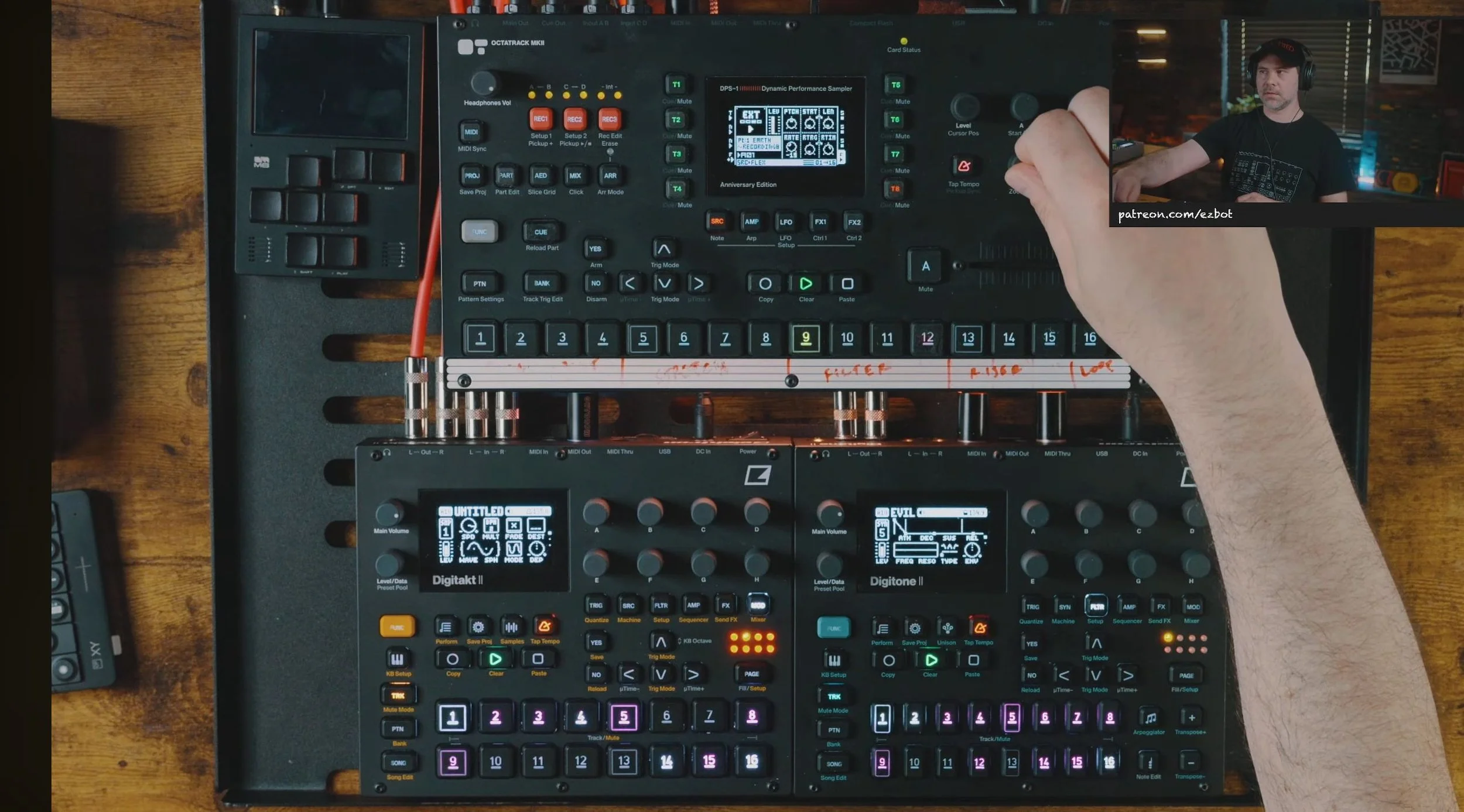
The 4X4 project has 64 prebuilt effect scenes spread across four Parts. There are beat repeats, rhythmic Hyper FX, filters and automated risers. The layout gives you familiar places to reach for an effect, while each Part gives those ideas a different character.
Some of those effects come from the Performance Mixer 3.0 template and Hyper FX projects. Putting them together was also a chance to keep developing them. I wanted combinations that could move between subtle changes and much more disruptive, rhythmic sounds.
A filter movement can make space for the next part. A beat repeat can hold a detail in place. A stranger effect can turn a familiar phrase into something worth responding to. The cool part is having those choices under your hands, with the crossfader controlling how far you take them.
They are editable scenes, not a sealed collection of presets. If a filter goes further than you want, change it. If you find a combination that fits your music better, save it into your version of the project. In the overview I say, “Make it weird for yourself.” That is an invitation to make this feel like your instrument.
A live loop gives you room to change the music
The Hybrid 4X3 version trades one sample track for a master looper. You keep three tracks for your own audio, and track eight becomes a place to hold a four-bar recording of the performance. Scene 16 selects that loop in each Part, replacing the fourth riser scene used in 4X4.
That tradeoff is useful when you need a little breathing room. Record what is playing, let the audience stay with that groove, and change the live setup underneath it. You can prepare a different pattern, strip the arrangement back or get the next idea ready. When you return to the live sound, the change can feel much bigger because the listener has been held in that earlier moment.
It can make transitions smoother, but I am just as interested in the drops and builds it makes possible. You decide how much to reveal and when to reveal it. The recording becomes another performance tool, rather than an emergency way to avoid silence.
There are limits worth understanding. The looper records the track-three effects output, so the later glitch and stretch branch is not included in that capture. Changing the Octatrack’s own patterns can also recall different Parts and scenes, which needs planning if you want the loop to stay in control. External instruments are especially straightforward to change while the loop carries the set. The included 4X3 manual covers that routing and the recording controls.
Choose the version that helps your set
The current Hybrid 4X4 1.5.1 download includes the 4X4 and 4X3 approaches, their instructions and a Flex version. The updated main projects use Static machines for sample playback, which is useful for longer files. Flex gives you another approach when working with audio in RAM. Recording still uses the Octatrack’s recording buffers; a recording needs to be saved before you load it into a Static machine.
I would choose four sample tracks if the Octatrack is doing more of the sound-making and arranging. I would choose 4X3 if having a transition loop is worth giving up that fourth playback track. Neither choice has to be permanent.
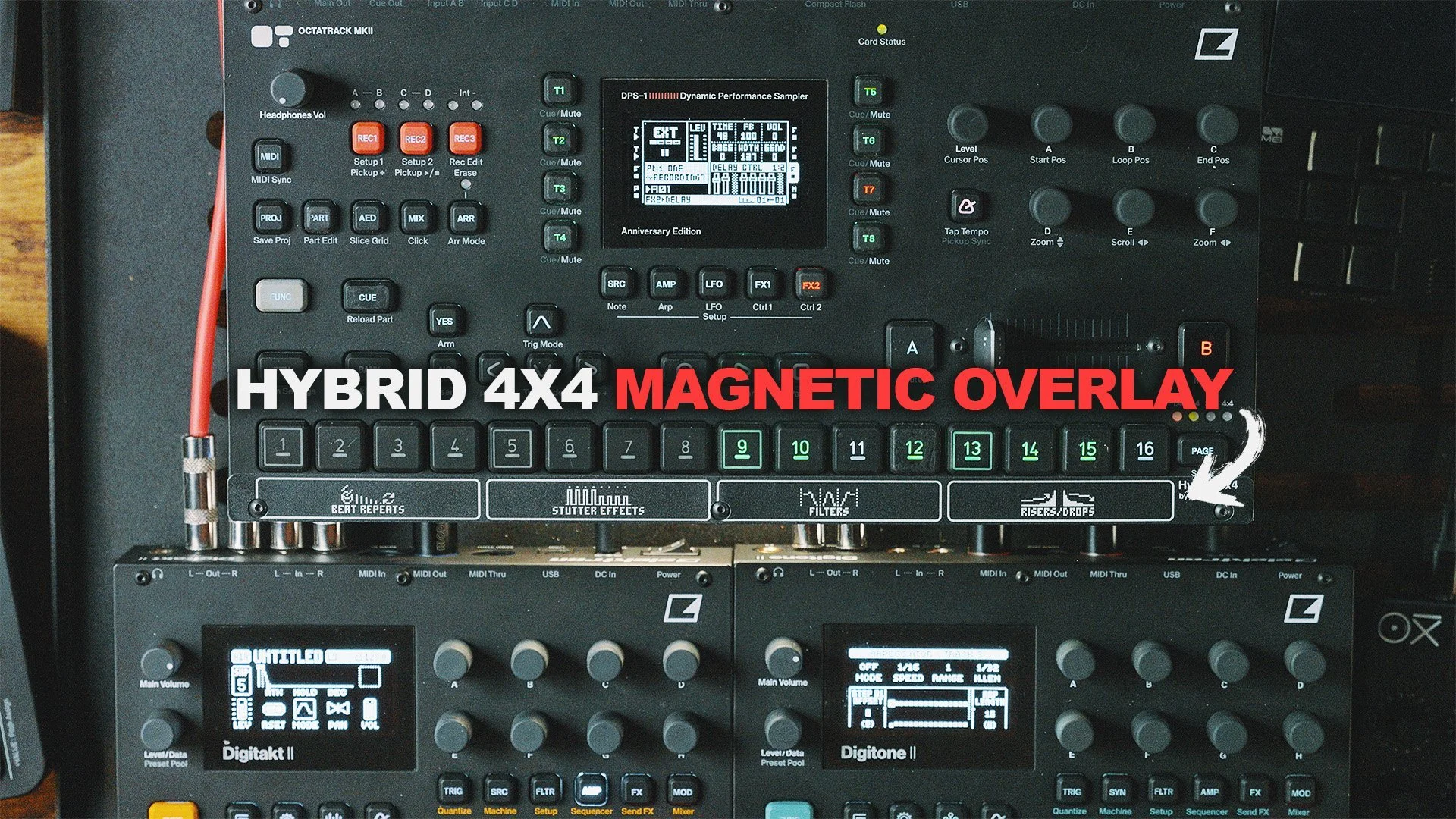
There is also a Hybrid 4X4 magnetic overlay at Modbang. Select Hybrid 4X4 from the template options. It puts the layout on the instrument, which is handy when you are reaching for effects during a set. The magnetic overlay fits the Octatrack MKII. The templates themselves work on both MKI and MKII.
What I’m building next: Dual Bus 4x4
An update from me, November 5, 2026: Dual Bus 4x4 is almost complete. It grows out of the same template and shares many of the effects, but it makes a different tradeoff. There are no sample tracks for playing audio internally. It is built to process incoming instruments, with drums on inputs A/B and melodic material on inputs C/D.
In Hybrid, those input pairs share the same effects treatment. Dual Bus lets me make choices for each side. That matters because an effect that sounds sick on drums can be too much on a big synthesizer chord.
Take a resonant low-pass filter. I can keep the resonance higher on the drum side and much lower on the melodic side. Dense chords or a reverb already full of sound can pick up a big level bump when resonance emphasizes part of that signal. Keeping that under control gives me a cleaner result and reduces the chance of an unexpected peak pushing the next stage into clipping. It still needs sensible levels, but I can design the effect around the material it is likely to receive.
The rhythmic possibilities are just as exciting. The drums can glitch at one timing while the melodic instruments move at another. Two groups of machines can respond differently to the same performance gesture. That gives me more interesting combinations without forcing every sound through an effect that was really built for something else.
It is not meant to replace Hybrid’s all-rounder role. It is another direction for a setup where the Octatrack is the performance mixer and the other instruments provide the sound. I still have plenty of cool ideas I want to explore here.
Watch the original 4X4 session
The overview at the top covers the updated 1.5 family, including 4X3. This earlier session shows where 4X4 started, with samples, external instruments and a longer exploration of the effects. Some details changed in later revisions, so use the current download’s manual when setting up your project.
Check it out.
The Hybrid template download and manuals are on Ko-fi, on Patreon for paid members, and the magnetic overlays are at Modbang. For another look at using the project in a set, read my Hybrid 4X4 article.
Octatrack MKII: Sweetwater · Guitar Center · Perfect Circuit · zZounds · Thomann (EU)
These retailer links are affiliate links. I may earn a commission if you buy through them, at no extra cost to you.
If you want help fitting a template to your own setup, book a one-on-one lesson. You can also join the email list for new projects and articles.
My YouTube channel and these articles are supported by community donations and Patreon subscriptions. If this helped you find something new to try, a tip on Ko-fi helps me keep making this work.
What keeps me excited is how much is still possible inside this instrument. A different routing idea, a scene you have not tried or a better way to move between tracks can change the way a whole setup feels. These are Octatrack projects built with the instrument’s existing tools, not modified operating systems.
You don’t even need to download any new firmware. It just works on any Octatrack.