
My modular dub-techno groovebox: a patch I can return to
Edited overview · 13 minutes. A concise tour of the patch, programming, and dub-techno performance.
Full livestream · 1 hour 50 minutes. The original session behind the edit: case design, a new pattern built live, experiments, corrections, and the complete performance.
By Matthew Piecora, AKA, EZBOT
I want to take dub techno seriously, and I’m tired of tearing my modular system apart every time I start something new. I’ve put a lot of time and money into these setups. This time, I wanted a semi-permanent instrument: something I could play, save projects on, and develop into a set without rebuilding the patch every session.
I built the case around what I need for a track: chords, bass, textures, drums, sequencing, and mixing. I want to leave those modules connected and get better at playing them.
Choosing the voices
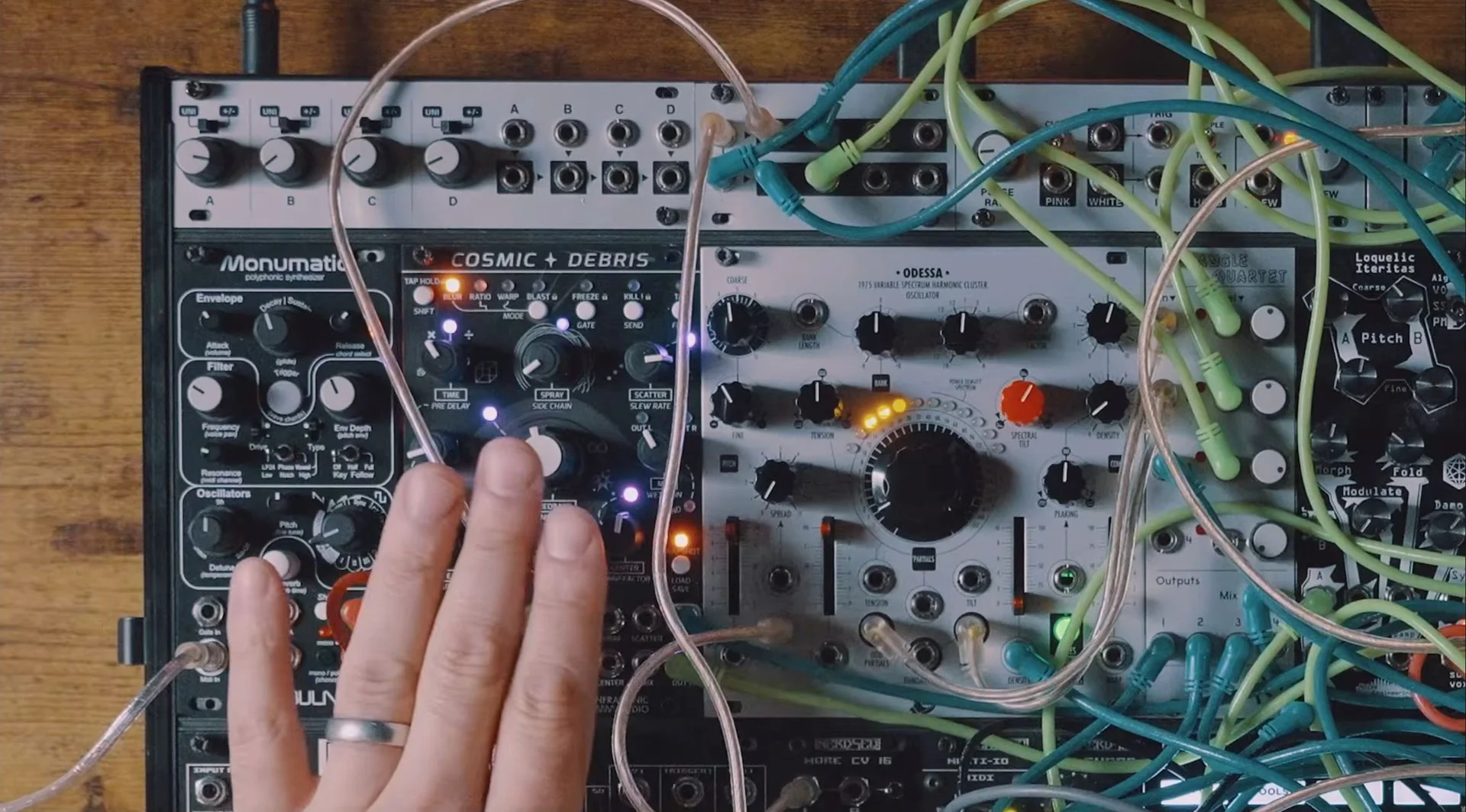
The Knobula Monumatic gives me a complete polyphonic voice, with the WMD Cosmic Debris adding delay and reverb. The NERDSEQ’s DualChord expander takes a more modular approach: two groups of four oscillators for paraphonic chords, shaped by the envelopes, filters, and effects around them.
I’m after those long dub-techno tails, where a short chord keeps moving through the delay and reverb. With the filter and envelopes right in front of me, two chord hits can keep me busy for a while.
The Odessa is sick. It can go from gentle, bell-like sounds to much rougher additive textures, while a Loquelic Iteritas through an analog filter handles bass. I like that combination of digital flexibility and analog filtering. The Bitbox Micro covers samples and drums without eating the rest of the case with separate percussion voices.
Hear the chord voices · 8:43 ↗ · Explore the Odessa · 10:18 ↗
Getting the groove right
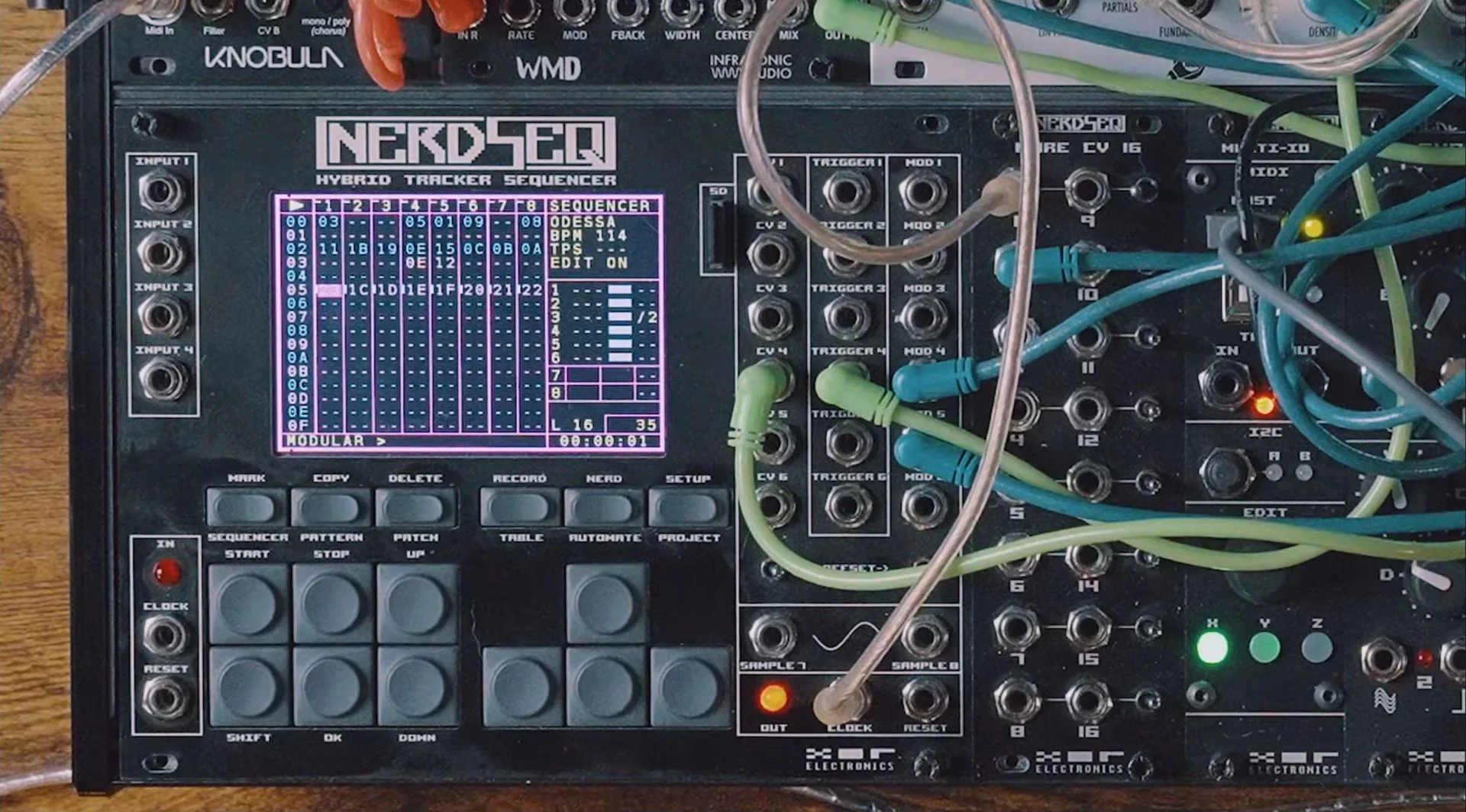
A four-bar pattern with an A minor seventh stab and a second hit on an offbeat gives me plenty to work with. Clear note endings leave room for the delay and reverb; changing the decay or opening a filter can carry the phrase without adding another note.
I enjoy complicated sequencing, but that doesn’t mean every part should be busy. The bass worked better as a simple offbeat line than the more elaborate rhythm I tried. The kick needed less aggression, too, so I moved its sample start beyond the heavy initial transient and adjusted the level.
The NERDSEQ lets me keep groups of patterns together as what I call “pattern islands,” separated by empty rows. I can work on another section without overwriting the first one.
Try this with whatever sequencer you use: choose one chord, place two hits across four bars, and give each a clear ending. Let the effects fill the gaps while you play the filter or decay. Then remove one hit. Listen to how much movement is already there before deciding the pattern needs more.
Pattern islands on the NERDSEQ · 32:56 ↗ · Simplifying the bass · 1:14:21 ↗
A setup I can come back to
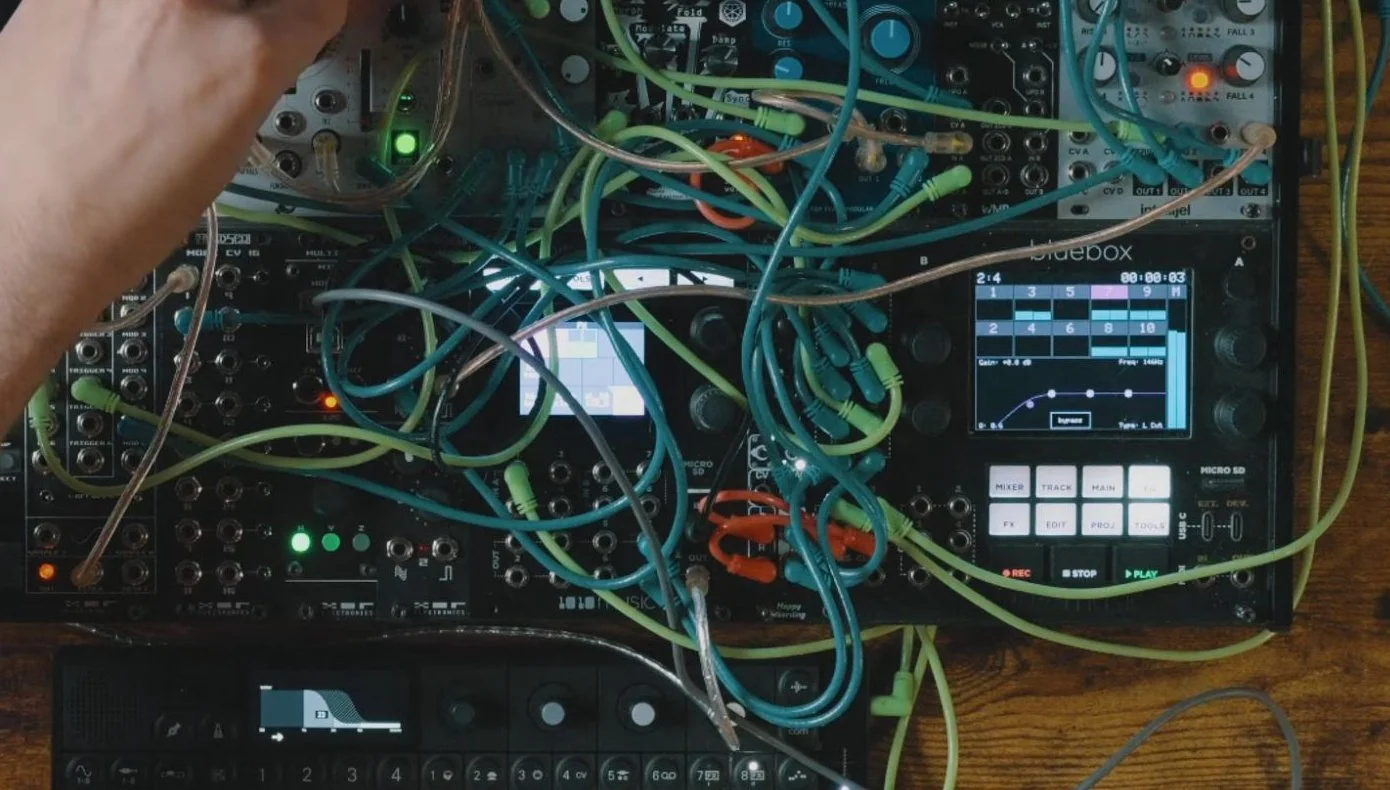
The appeal of modular for me is being able to reach for several parts of the sound at once. I can lengthen an envelope, open another voice’s filter, and bring up an effect send. I cut low end from the Odessa so I can bring its textures up without fighting the bass.
The compact controls on the Bitbox Micro and Bluebox are a tradeoff. They aren’t the most immediate parts of the case to operate, but they make this much sampling, mixing, and EQ possible in the space I have. That saves a lot of space in this case.
Saving the NERDSEQ song, Bitbox kit, and Bluebox project keeps the programming, samples, and mix ready for another session. It won’t restore unplugged cables or every analog knob position; leaving the physical patch together is part of the commitment.
I’ve got two patterns I want to keep developing, and I can save the song, samples, and mix. That’s enough reason to leave this case patched. Next time I sit down, I can work on the set instead of rebuilding the instrument.
The edited video at the top is a quick tour and performance. The original livestream goes deeper into building a pattern and working through the choices behind the case.
Selected modules from this patch
Some links below are affiliate links. I may earn a commission at no extra cost to you.
XOR Electronics NERDSEQ: Perfect Circuit · US ↗ / Guitar Center · used ↗
XOR Electronics DualChord: Perfect Circuit · US ↗
WMD Cosmic Debris: Perfect Circuit · US ↗
Xaoc Devices Odessa: Perfect Circuit · US ↗ / Thomann · EU ↗
These are a few of the tools discussed across the two videos. You can try the sequencing exercise with your own setup. Retailer availability can change.
Keep developing your setup
If you want help with modular sequencing, sound design, or building a live set around the gear you already own, book a one-on-one lesson ↗. We can work through it together.
You can also explore my templates and ongoing projects on Patreon ↗, or join the email list ↗ for the next IN THE STUDIO article and updates.
Watch the edited overview on YouTube ↗ · Watch the full livestream ↗
Help keep the music going.
My YouTube channel and these articles are 100% supported by community donations and Patreon subscriptions. If you found something useful here, a tip helps me keep making and sharing this work. Thanks for being part of it.