Sonicware deconstruct MINIMAL: my first hands-on session
IN THE STUDIO / FIRST IMPRESSIONS
I went into this session thinking the Sonicware deconstruct MINIMAL looked like Roland and Elektron had a baby. After building a few patterns, I still think that is a useful way to describe the appeal: classic drum-machine character, an acid-style bass synth, and step-by-step control that makes a short loop much more interesting.
What surprised me was how much of a performance setup lives in this little box. Drums, bass, sampling, a DJ-style isolator, and playable effects are all right there. Minimal techno, house, and dub techno make a lot of sense on it.
This is a first hands-on session, not a claim that I have mastered the machine. You will see me learn shortcuts, make mistakes, and discover features as I go. That is part of the fun.
Sonicware sent me this unit. These are my impressions from the August 27, 2026 livestream. Some links below are affiliate links; I may earn a commission at no extra cost to you.
Watch the full session
Build patterns with me, hear the effects, and follow the sampling experiments in the replay below.
Jump into the replay
A whole little ecosystem
I love an instrument that gives me enough to make music without assembling a pile of other gear first. The deconstruct MINIMAL has eleven tracks, with drums, sampling, and a dedicated bass synth. It also has a built-in speaker and can run on batteries, which fits that self-contained idea.
The bass is a big part of the appeal for me. Having those controls available while the pattern plays makes it easy to keep working on the sound. Accents, glide, filter movement, and a simple rhythm can take you a long way. I like the acid character, but I would not describe it as identical to a Roland 303. It has its own sound.
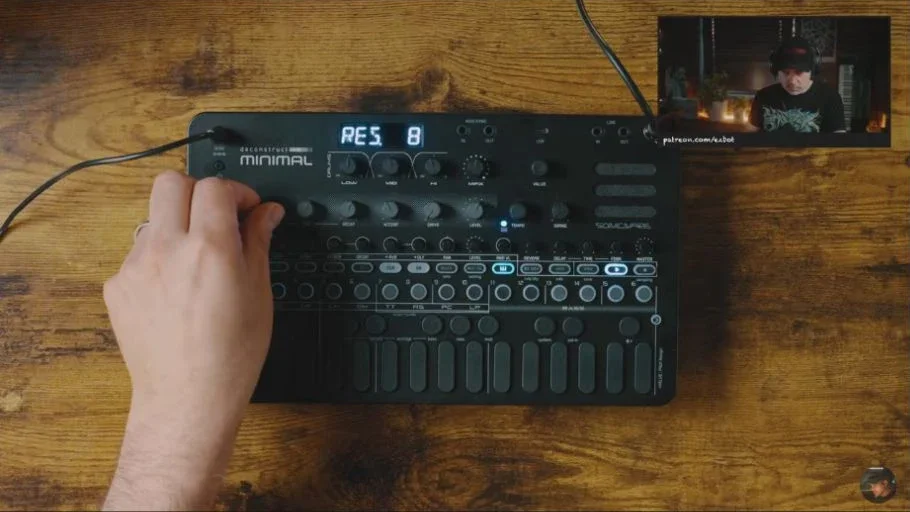
28:41 — Working the bass filter and resonance while the pattern plays.
Small patterns, lots of movement
The Elektron comparison comes from the sequencing. Hold a step and change a parameter, and that step can behave differently from the others. That is where a pattern starts to feel like music instead of a loop that just repeats.
One of my favorite moments in this session was taking repeated chord hits and opening the filter across a few steps. The notes did not need to get more complicated. The sound changed as the phrase moved forward, and the delay gave those changes somewhere to go.
I also tried changing sounds per step. Being able to get different sample hits out of a track opens up more room than the track count suggests. You can hear me working through those ideas in real time rather than demonstrating a finished pattern I prepared earlier.
The effects are part of the instrument
The performance controls are a good reason to look at this machine. The isolator lets me work the low, mid, and high ranges, and the master effects give me ways to interrupt or reshape a groove while it plays.
I especially liked the delay. With a short chord or sample, it helped build the space around the pattern. The filter, beat-repeat-style looping, and pumping effect also make sense for hands-on performance. I liked some settings more than others; for example, I preferred the resonant high-pass side of the sweep filter to pushing its low-pass end hard.
This is the kind of setup where muting a track, changing the bass, or bringing an effect in for a moment can do more than adding another part. There is a lot to play before you even leave one pattern.
The tradeoff: learning the shortcuts
The sound and feature set impressed me more than the physical hardware. It feels like an affordable instrument, and I would love to see this idea in a more substantial chassis with endless encoders and a larger display.
The small screen is the bigger workflow issue for me. There are a lot of functions behind combinations of buttons, and the display does not always give me enough context to know where I am. I watched a tutorial and kept notes before going live, and I still had to stop and work things out.
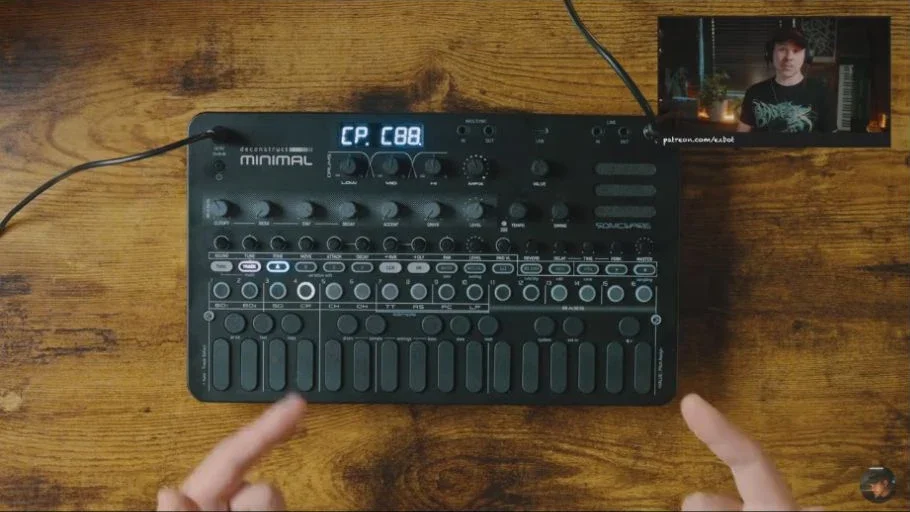
03:39 — The compact panel and display behind the sound; there is a lot to learn in a small space.
It is also worth watching the discoveries near the end. Early in the session I was unsure about auditioning individual steps and stretching samples. Later, I found step audition, including the parameter changes on the step, and explored the melodic and rhythmic stretch options. Those are good examples of why I would not judge the whole machine from my first few minutes with it.
Sampling from Ableton Move took some figuring out too. I eventually got the sample loaded, but this replay is an honest look at learning the workflow, not a polished sampling tutorial.
Try this: make one sound do more
You can try this idea on the deconstruct MINIMAL or another sequencer that supports per-step parameter changes:
Start with a simple kick and hat pattern. Leave some space.
Add a short chord or sample hit several times in a phrase.
Keep the first hit darker, then open the filter progressively across the following hits.
Add a little delay and listen to how the repeats connect the phrase.
Perform the pattern with mutes and brief effect changes before adding more tracks.
Listen to what changes when you remove a part. A small pattern with a few well-chosen moves can be a lot more engaging than a busy one.
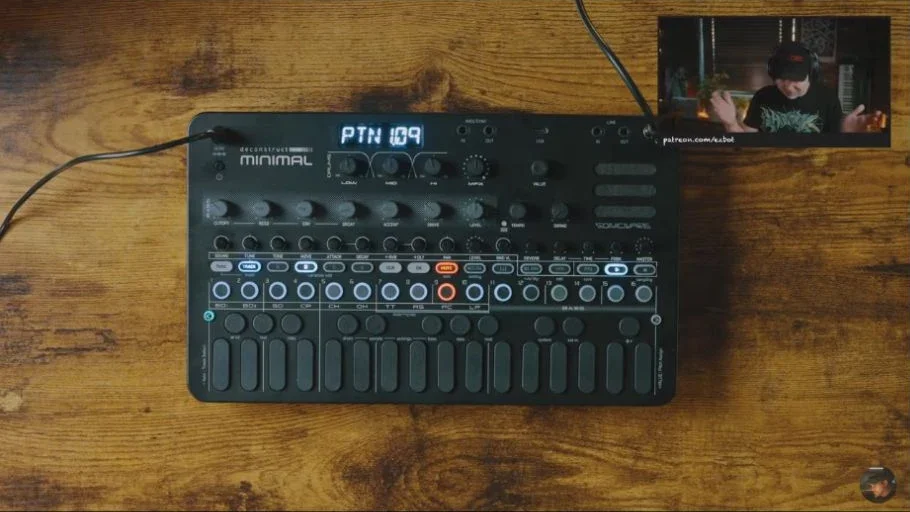
43:37 — One repeated chord becomes a phrase through filter movement, delay, and space.
Who I would suggest it for
If you want a compact box for minimal techno, house, or dubby patterns, there is a lot here to explore. I like that the drums, acid-style bass, sampling, and performance effects work together as one instrument.
If you want a large screen, premium controls, or a workflow you can understand without learning shortcuts, spend time with the replay before buying. I was starting to move around it much more comfortably by the end, but there is a learning curve.
Find the deconstruct MINIMAL
These links go to the exact model. Check the current price, delivery country, and availability at the store.
Thomann · US ↗ / Thomann · Europe ↗
The Europe link opens the English-language Germany storefront. Choose your delivery country at the store. Affiliate links help support these sessions.
Take the idea into your own setup
The useful part of learning gear is finding a way to make music with it. If you want help building a live set, understanding your hardware, or getting past a creative roadblock, we can work on it together in a one-on-one lesson.
For my Octatrack performance templates, sound packs, and ongoing projects, join me on Patreon. You can also watch the weekly livestreams or join the email list for what is coming next.
Matthew Piecora / EZBOT
Hardware electronic music. Built to be played.