
By Matthew Piecora, AKA, EZBOT
I thought I had a fairly clear idea of where Tonverk fit on my desk. I saw it as a sampler and synthesizer with great effects, while Digitakt II handled the drums. OS 1.50 has complicated that decision. The subtrack routing alone has me reconsidering what I would actually need for a live set.
I’m excited about that, and a little overwhelmed. I have spent years getting comfortable with my Elektron setup. When a box gains this much, I have to decide whether I want to rebuild that workflow around it. That is what interests me most about this update.
The subtrack routing is the big change
Being able to send a hi-hat to reverb while keeping the kick dry sounds like a small thing. For me, it changes the purpose of the Subtracks machine. I can now treat the individual sounds as parts of a drum kit with their own send amounts, including parameter locks on individual steps. Before, a send change on a step affected the subtracks playing on that step together.
Each subtrack can also be routed through different points in the parent track’s signal chain. The insert processors still belong to that parent track. The important change is having individual routing and send control for the sounds within it.
That makes Tonverk much more interesting as the entire drum section. I can keep a kick clear and direct, put space around a percussion hit, and change the processing of a particular hit without taking the rest of the kit with it. Hear the subtrack send example at 17:28.
I still feel the difference when I’m playing it. On Digitakt II, the track mutes are right in front of me. On Tonverk, I have to enter the parent track to reach its subtrack mutes. That extra navigation matters during a performance. One approach I like is putting different kicks on one parent track, snares on another, and treating the parent mute as a way to remove that whole part.
USB MIDI hosting and external sequencing
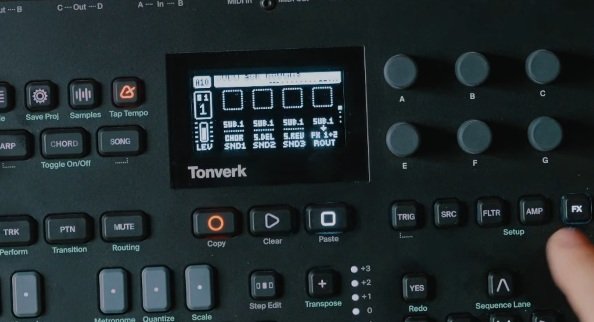
USB MIDI hosting is the other major change for my setup. With the controller I used, power and MIDI both ran over one USB cable from Tonverk. That is a really convenient way to give frequently used parameters their own knobs.
The appeal is having the controls I reach for available while I’m playing. Tonverk has audio tracks, subtracks, buses, sends and a lot of processing to navigate. A controller can keep some of that accessible. Controllers with macros also give me ideas for moving several parameters together, although I still need to spend more time building a performance setup around that.
There is another addition I think is easy to overlook. The Send FX tracks can now use MIDI machines, so I can sequence external instruments there while keeping the main audio tracks available. That fits the way I already like to use a sampler, with another instrument connected and something to record.
The effects get interesting when I sequence them
Pulse-Gate is super sick. It gives me a sequenced amplitude envelope for those chopped, rhythmic chord patterns. I used to build that kind of movement with an LFO assigned to volume or with volume locks across the sequencer. Having a dedicated effect makes the idea much easier to work with.
Transient CTRL took me somewhere different. My first thought was the usual production job of making a drum punchier or softer. Then I started parameter-locking the attack of a kick. Some hits kept their attack, and others sat further back in the pattern. That is the part I enjoy about putting a production tool inside an Elektron sequencer. I can change its role from one hit to the next. Watch the transient-control experiment from 1:09:28.
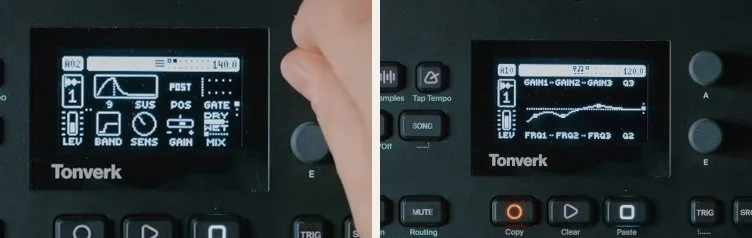
The two new EQs are useful in a more everyday way. When a sample needs cleaning up, I can make those decisions on the instrument. The Parametric EQ is the one I expect to reach for most because its Q control also gives me room for sound design.
Round robin surprised me
I wasn’t especially interested in velocity layers or round robin at first. I mostly wanted my drum one-shots and better effects control. Random sample selection on the hi-hats changed my mind. Hearing different samples land within the same velocity range gave me a reason to use it in the music I already make. I would start there, with a small variation in one part of the kit.
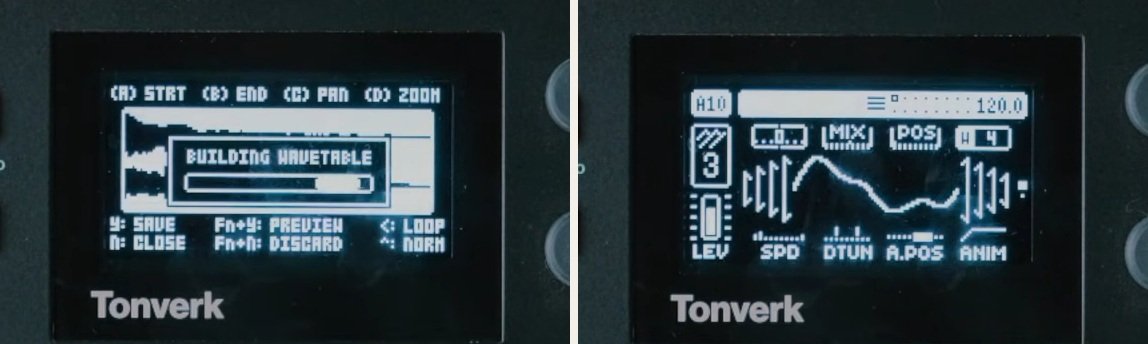
The new wavetable tools had a more immediate appeal. I recorded a pluck from the OP-XY and saved it as a wavetable, then played it back through Tonverk’s synthesis. That sounded so good. The recorder can now generate the wavetable on the box, and Waveswarmer adds another way to build thick, detuned sounds from that material. Hear the sampled pluck become a wavetable from 41:30.
Stretcher adds another set of choices. I still like repitching a drum break because I like how the original hits hold together, with pitch and speed changing together. For dub techno, I’m much more interested in hearing the texture that stretching creates. I would choose between those approaches by what I want the sample to do in the track.
There are parts of the workflow I still want to improve. The Multi Player editor gives us detailed control over key zones, layers and sample trimming, which belongs on an instrument built around multisampling. What I would use more often is a guided manual recording process that lets me play notes on an acoustic instrument and capture them into zones as I go. I want to spend more of that time recording and sequencing.
I still like my Digitakt II
Tonverk can now cover enough of my setup that I have to think about which box I want to use. Digitakt II still feels great to me as a drum machine. I like the sixteen tracks, the two rows of track buttons, and how quickly I can improvise with my usual drum and melodic split. I know that instrument well, and that matters.
There is a lot I appreciate about choosing a smaller set of tools and learning it deeply. Adding more features can also add more decisions. With Tonverk, I’m still working out which of those possibilities I want to spend time on.
The setup I want to revisit now is Tonverk into Octatrack, with drums on one stereo pair and melodic material on the other. I like processing those groups separately for filters, beat repeats and transitions. That is the kind of processing I build into my Octatrack performance templates. I tried the pairing before, but the drum side of Tonverk hadn’t convinced me. This update gives me a reason to try it again.
I still want to connect another instrument, sample something I like and write music with it. OS 1.50 makes me much more interested in letting Tonverk handle the drums in that same setup. The next thing I want to hear is how that works when I’m actually playing a set.
Links and further reading
Elektron Tonverk: Guitar Center · Sweetwater · Perfect Circuit · Thomann (EU) · zZounds
Elektron’s official Tonverk release notes cover the full update. For more on the sampling side, read my Tonverk and DB-01 session.
If you want to work through your own setup with me, I offer one-on-one lessons. You can also join my email list for new articles and projects.
My YouTube channel and these articles are supported by community donations and Patreon subscriptions. A tip on Ko-fi helps me keep making and sharing this work. Thank you for being part of it.
I take part in Elektron’s beta testing. These are my impressions of Tonverk OS 1.50. Retailer links are affiliate links. I may earn a commission on purchases through them, at no extra cost to you.